The Research, Improve, Track workflow
CraftRank has several tools, but they are not meant to be used at random. They follow one workflow that mirrors how a seller actually grows on Etsy: research the market, improve your listings using what you learn, then track what moves. If you are new here, start with this page. It explains the three phases and points you at the detailed guide for each.
The same three phases organise the app: the dashboard and the sidebar group every tool under Research, Improve, or Track.
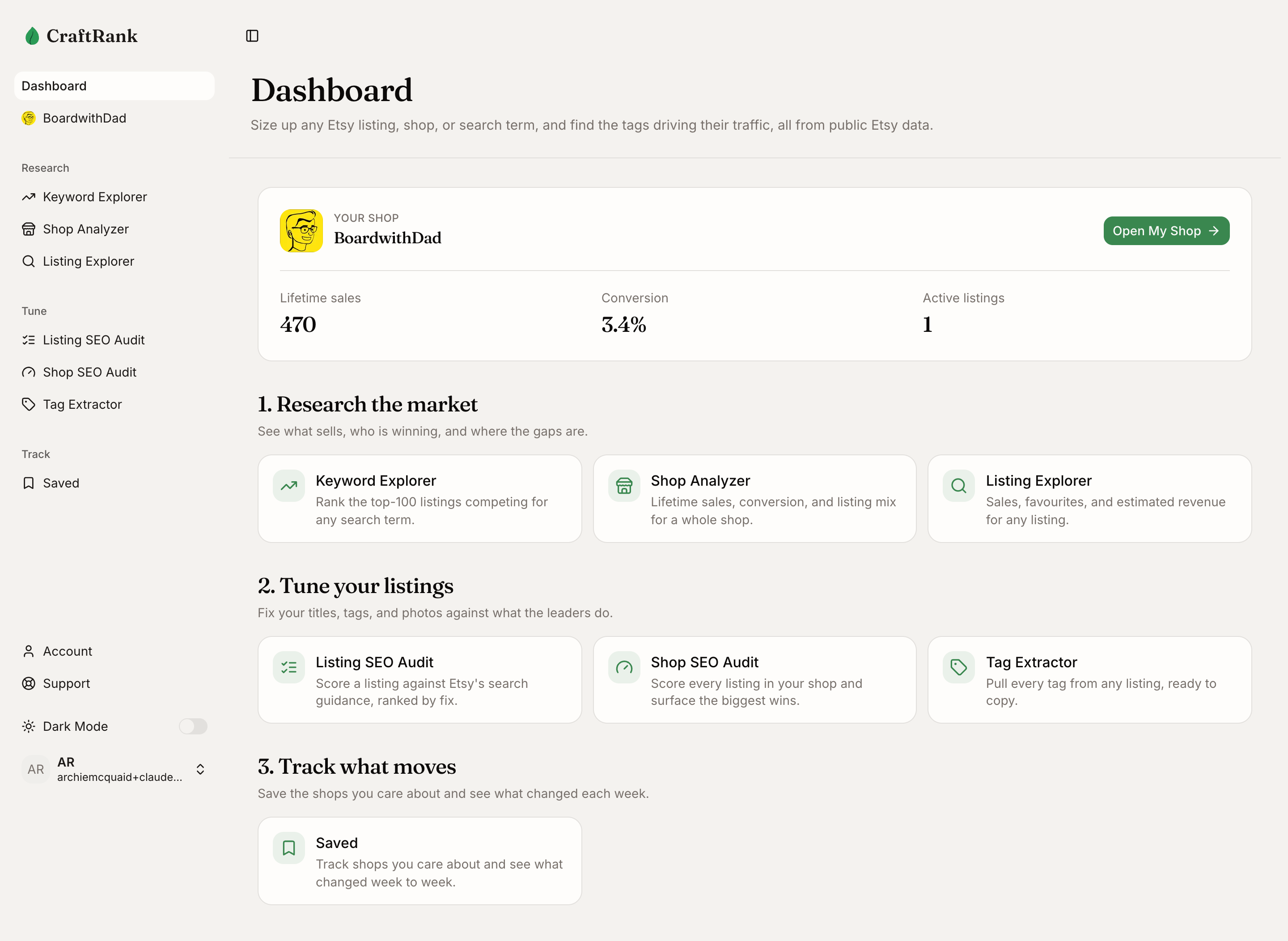
Phase 1: Research the market
Before you make or change anything, find out what sells and who is winning. Research answers three questions: is there demand, is there money, and can you compete?
- Keyword Explorer sizes the demand for a search term and scores the opportunity against the competition. This is where most research starts.
- Shop Analyzer reads a whole shop's estimated revenue, conversion rate, and listing mix, so you can confirm the leaders are genuinely selling.
- Listing Explorer breaks down a single listing's sales, views, favourites, and tags, so you can study exactly what a winner does.
For the full sequence, follow Validate a new niche.
Phase 2: Improve your listings
Research tells you what wins. Improving is where you apply what you learn to your own listings. The goal is to make every listing clear, findable, and compelling for shoppers.
- Listing SEO Audit scores one of your listings against Etsy's search guidance and hands you a worst-first list of fixes.
- Shop SEO Audit runs that same scoring across every listing in your connected shop and ranks the highest-impact fixes across the whole catalogue.
- Tag Extractor pulls a full tag set from any listing so you can copy the winning terms into your own.
A fast, high-value move lives inside Keyword Explorer: once you have searched a term, use the tag-gap check to paste your own listing and see exactly which winning tags you are missing. Close the tag gap walks through it. For the full improvement sequence, follow Audit your own shop or, for a single listing, Diagnose a stalled listing.
Phase 3: Track what moves
Etsy is not static. The shops you study keep selling, raising prices, and adding listings. Tracking lets CraftRank watch them for you so you act on movement instead of re-checking by hand.
- Save any shop from its Shop Analyzer page. Saved shops appear on your Saved page.
- Each week CraftRank snapshots your saved shops and surfaces what changed, sales, favourites, reviews, and active listings, in the change feed on your dashboard.
- Watch for momentum: a competitor whose sales are climbing fast is worth studying again with Research before the rest of the market notices.
How the phases connect
The phases are a loop, not a line. Research surfaces a leader; improving closes the gap to them; tracking tells you when the market shifts and it is time to research again. Result pages link you forward through the loop: a Shop Analyzer or Listing Explorer result suggests the next step, and Keyword Explorer both shows where your own shop ranks for the term and hands you straight into the tag-gap check.
Related
- Validate a new niche for the Research phase end to end.
- Audit your own shop and Close the tag gap for the Improve listings phase.
- Diagnose a stalled listing for a single-listing fix.
- Methodology for how the estimates are built.